01
Connect Apple Notes
Follow the short, visual guide to add our Shortcut on your iPhone.
 Chat with Notes
Your ideas, plans, and little reminders.
Have a conversation with the notes you already keep in Apple Notes.
For iPhone. Start with your 10 most recent notes.
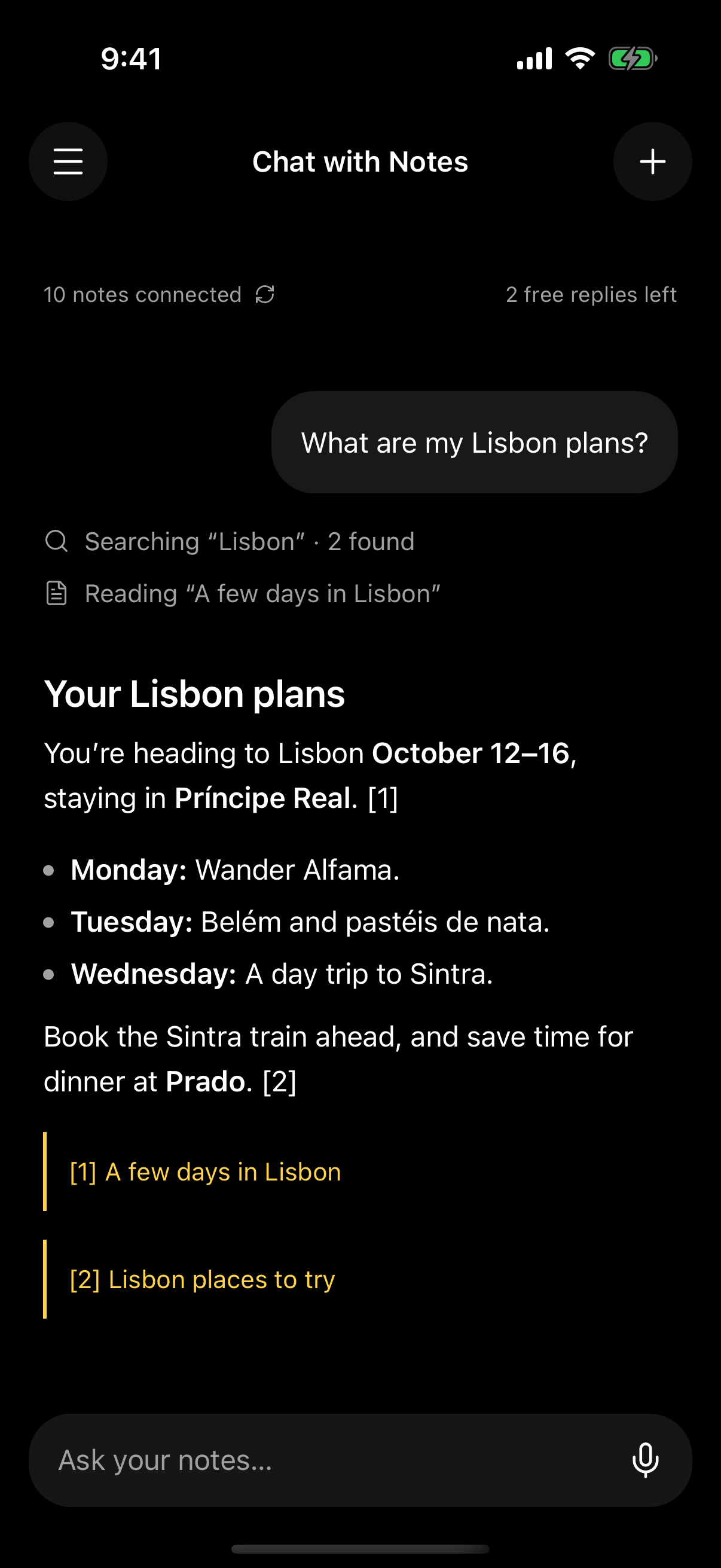
A SMALL START. A USEFUL CONNECTION.
No copying and pasting into a chatbot. A guided iPhone Shortcut brings your recent notes into one place.
Follow the short, visual guide to add our Shortcut on your iPhone.
Import ten recent notes. Refresh edits or add older notes, ten at a time.
The app searches, reads, and connects your imported notes. Follow the sources back.
October 12–16 · Príncipe Real
Book the train to Sintra.
Make time for dinner at Prado.
Leave a day for wandering.
LESS HUNTING. MORE REMEMBERING.
A title isn’t always enough. Ask in your own words and let Chat with Notes look across the notes you’ve connected.
YOUR NOTES. YOUR CHOICE.
Your originals stay in Apple Notes. Imported copies are stored on our server, and relevant excerpts go to a cloud AI provider for answers. Disconnect or delete your account in Settings.
Read the plain-language privacy policyA FEW THINGS TO KNOW
No. Each Shortcut run imports up to 10 notes. The app searches only the copies you’ve connected. You can bring in older notes in further batches.
Your originals do. Imported text is copied to our server; relevant excerpts and conversation context are sent through OpenRouter to the AI provider. This is cloud AI, not on-device processing.
Yes, after you separately enable the optional iPhone automation. Each run refreshes the 10 most recently edited notes. You can turn it off in the app and remove the automation in Shortcuts.
Text notes in Apple Notes on iPhone. Locked notes, scans, handwriting, images, and attachments are not supported. AI answers can make mistakes, so use the linked sources to check.
We’re testing through Apple TestFlight. Request an invitation by email using the address you use for TestFlight. Access is currently by invitation; a public App Store release is not available yet.
Your next conversation starts with your notes.